Open sourceLocal-firstMIT
Draw Mermaid diagrams by hand, in code, or with Claude or Codex.
Nautink is one canvas for Mermaid. Ask Claude or Codex for a change and it shows up as a proposal you accept or reject. Your diagrams stay in your browser, and the chat runs through your own Claude Code or Codex CLI.
npx nautink
npx nautink

Review before apply
The agent proposes. You decide.
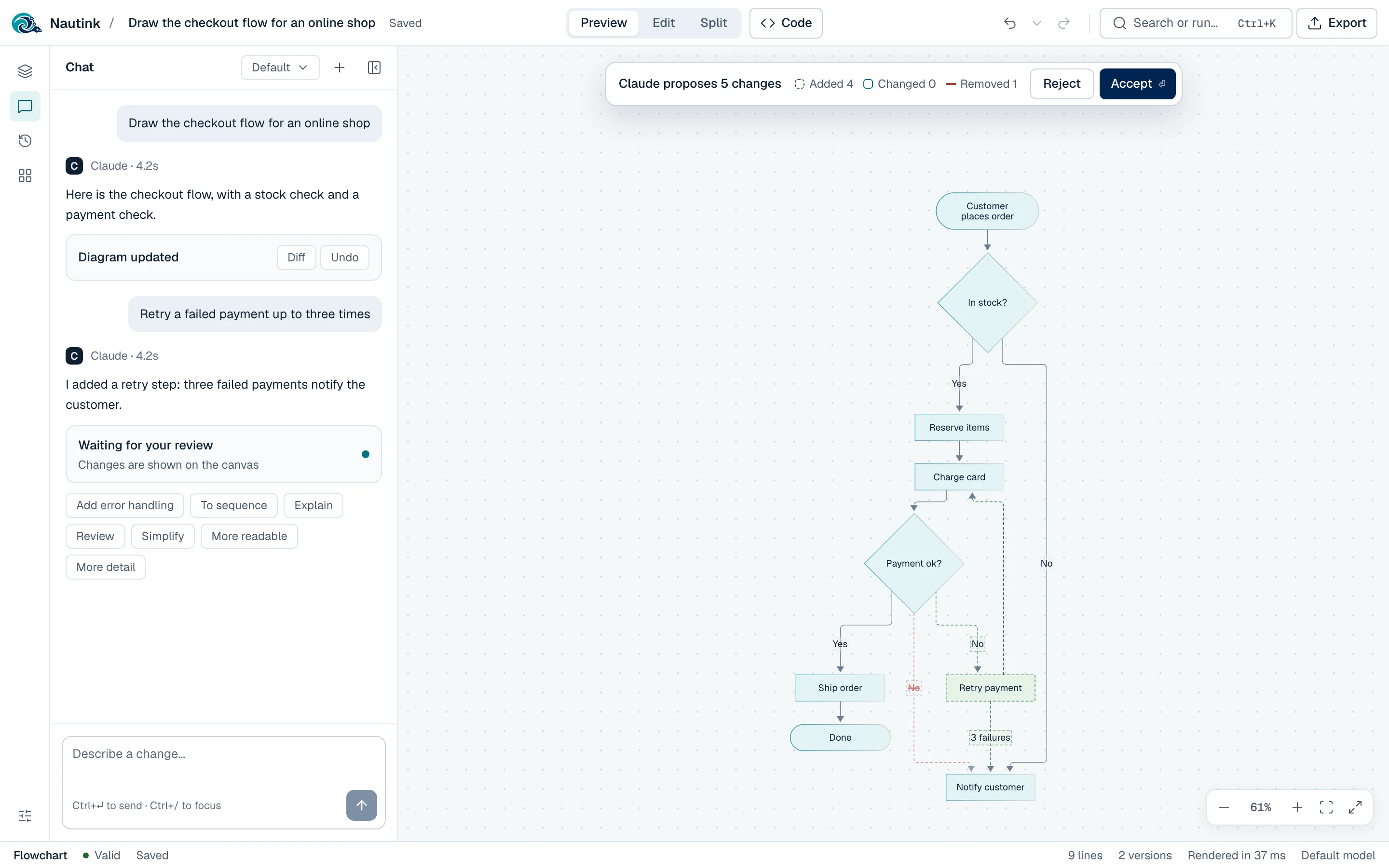
Every change Claude or Codex makes lands on the canvas as a proposal. New parts are dashed in green, removed parts are struck through, and nothing is saved until you say so.
- Accept with Enter, reject with Esc.
- Accepting is one undo step and one saved version.
- If the agent's code does not parse, Nautink asks it to fix it.
Try it: a flowchart with a proposed change from Claude, which you can accept or reject.
Retry a failed payment up to three times
I added a retry step: three failed payments notify the customer.
One canvas, three ways in
Chat, drag, or type. It is all plain Mermaid.
Every visual edit writes Mermaid code, and every line of code updates the canvas. What you see is what GitHub and other Mermaid hosts will show.
Five visual editors for flowcharts, UML class, sequence, ER and state diagrams. Drag shapes, draw links, and tune each part in a floating inspector.
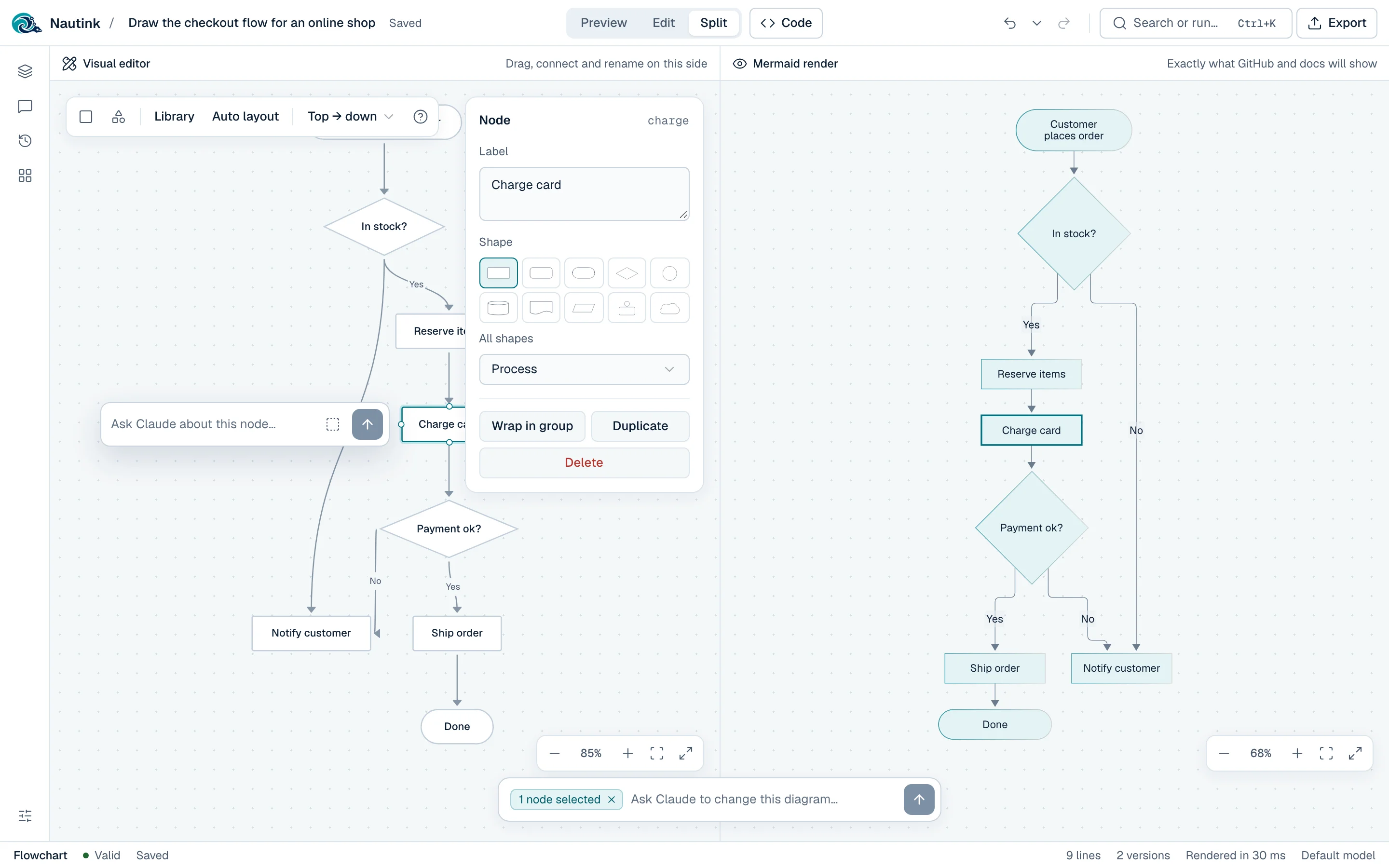
Split puts the visual editor beside Mermaid's own render, with the selection mirrored between them. Click a shape in Preview to jump to its line of code.
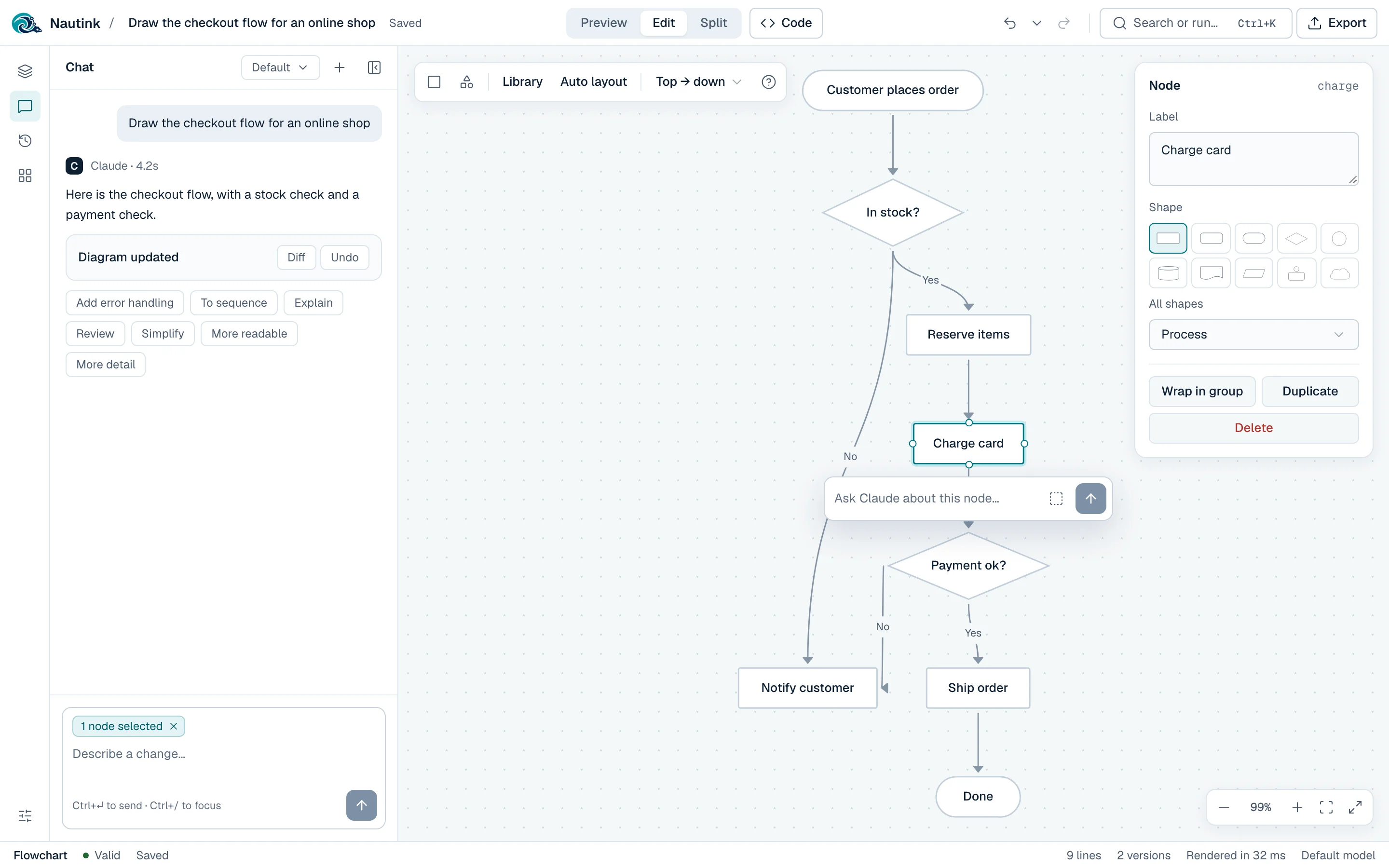
Chat with Claude or Codex. Pick the agent in Settings, then describe a diagram or a change. Select a few nodes to ask about just those, and the agent leaves the rest alone.
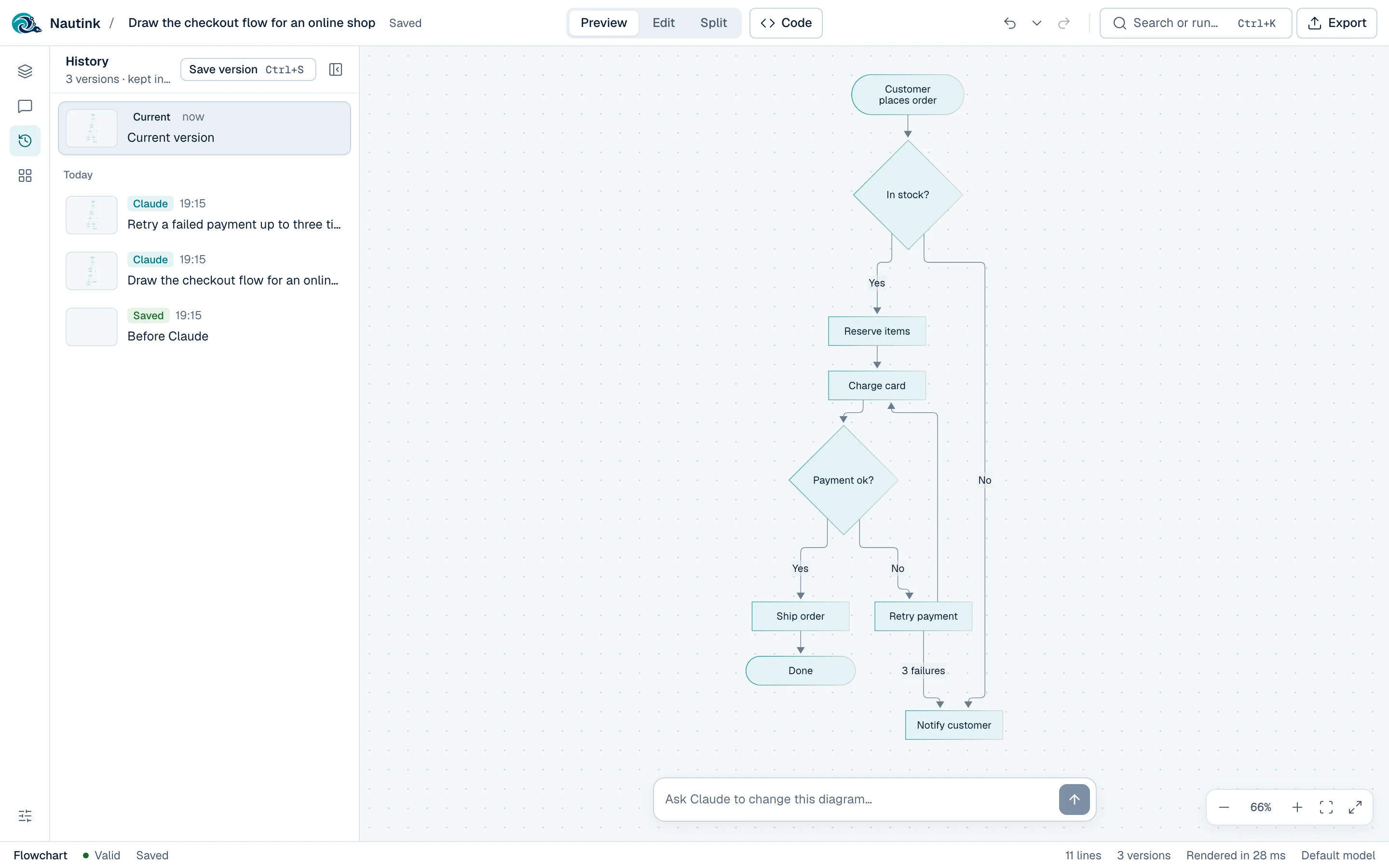
History and versions. Undo and redo cover every change. Each agent edit saves a version: view, compare and restore up to 50 per diagram.
Features
Everything a diagram needs, nothing it does not.
-
Live build
While Claude replies, new nodes fade in on the canvas as they arrive. Codex replies land in one step.
-
Pick your agent and model
Claude with Opus, Sonnet or Haiku, or Codex with any model your Codex CLI offers.
-
Codebase-aware chat
Let the agent read a project folder, read-only, so it draws your real architecture. Pick it in Settings or start with
--repo. -
Code drawer
Monaco with Mermaid highlighting, autocomplete per diagram type, and errors on their line.
-
Many diagrams
Search titles and content, filter by type, pin, rename, duplicate and delete with undo.
-
14 templates
Starters for process, software design, data, planning and charts.
-
Export anywhere
SVG or PNG, copy the image, code, Markdown or an HTML embed, or open in mermaid.live.
-
Import and back up
Drop
.mmdor Markdown files in. Back up everything to one JSON file. -
Keyboard first
⌘K reaches every action. Light, dark, or follow your system.
How it works
Three small pieces, all on your machine.
-
Browser
Nautink web app
Canvas, editors and chat. Every diagram, chat and version lives in IndexedDB.
-
Your machine
Local server
Listens on
127.0.0.1only. Turns each message into one run of your agent's CLI. -
Your login
Claude Code or Codex CLI
claude -pgets no tools unless you pick a folder to read.codex execalways runs in a read-only sandbox.
Privacy
No account. No cloud. No telemetry.
Your diagrams never leave your browser, except when you send a chat message. Then your own agent CLI sends the diagram and your message to its provider: Claude Code to Anthropic, Codex to OpenAI, exactly as if you used that CLI yourself.
- No sign-up. One command and you are drawing.
- No analytics. The app tracks nothing.
- No third-party calls. Fonts and icons are bundled.
- Works without an agent. Everything but the chat runs offline.
One command. No clone, no setup.
You need Node 22, and Claude Code or Codex CLI logged in for the chat.
npx nautink
It starts Nautink on http://127.0.0.1:8791, on your machine only, and opens
your browser. Stop it with Ctrl+C. npx nautink --help lists the options.
Want to work on Nautink itself? Run it from source.